Google Search

Custom Search

Powered by...

Find us on Facebook

Friday, 31 October 2008

How to set your default album cover art images in ngRC

One of the things I was looking forward to with the release of ngRC RC1 was the ability to set my default cover art images. As I am using the "URL to Cover Art" program to make Media Center use my downloaded hi-res album covers and not the default low-res 200 x 200 ones that WMP11 creates.

ngRC by default just looks for and displays whatever is the largest image file in the albums folder.

So in ngRC using the previous beta version, it was showing some front covers but also back covers, inlay's and inside images, if they happened to be the largest image in that folder.

Now in ngRC RC1 you can edit the settings.jsp file in notepad to specify what your front covers are called? In my case all my high-res 600 x 600 album cover images are called Folder.jpg

Here is an extract of the original code from the settings.jsp file located in the C:\Program Files\ngrc\tomcat\webapps\ngrc\skins\pspiphone directory,

highlighted in bold is the section we are interested in.


*/
%>
<%@ page import="agorum.mce.ngrc.*"%>

<% //set the name of the default Image to look for (uncomment, if you want to change the default name)
//can be for example: f*.jpg
NgRCCommHelper.coverArtName=null;
//NgRCCommHelper.coverArtName="folder.jpg";


//default settings for filters
//defaultMaxItems (values are: -1 means all, 20, 50, 100)
request.setAttribute("defaultMaxItems", "50");
%>

Simply remove the comment // and specify the file name of your album cover images. So after I edited the file that section for me looks like the below.

//set the name of the default Image to look for (uncomment, if you want to change the default name)
//can be for example: f*.jpg
NgRCCommHelper.coverArtName=null;
NgRCCommHelper.coverArtName="Folder.jpg";

I could not initially save the settings.jsp file in notepad, due to not having the correct permissions on the folder.

So I closed notepad re-opened it with the run as administrator option on the right click menu and then I was able to save the changes to the file without problem.

I also stopped the ngrc.tomcat service at the same time, so that might have helped as well, after restarting that service I was then able to open ngRC in Internet Explorer using the address shown below. Also you need Media Center up and running at this point as well.

http://IP Address of your computer:8080/ngrc/skins/pspiphone/index.jsp

I am very happy to report that all my album's front covers are now being shown correctly in ngRC!

The next thing I need to look at is the defaulMaxItems in the settings.jsp file, as the Sony PSP has problems displaying long lists on one page, if you have a large music library like me, you end up getting memory errors.

Album Details View with Cover Art


Song Details View with Cover Art

next generation Remote Control RC1 now out!

next generation Remote Control (ngRC) Release Candidate 1 is now available for download.

The following is from the Developers site:

"It’s done, the new Version of ngRC 2.0 is available now… Here is a list of improvements towards the beta Version of 2.0:

  • fixed play all Problem (double added)
  • fixed settings page display error
  • implemented amount reduction of lists (let choose amount to display)
  • implemented prefered coverArt Image Filter (e.g. folder.jpg)
  • implemented default setting for maxAmount for lists
  • removed auto-refresh in actual playing, now refresh button instead
  • fixed ch+, ch-, vol-up, vol-down and mute button on extenders
  • made keyboards bit larger for better handling
  • Enhanced XML-Api for better using
  • Implemented Volume Feedback Display on Keyboard
  • Fixed actual playing List problems
  • some clean up and other small things
The new version can be downloaded on Sourceforge: https://sourceforge.net/projects/ngrc
Have a look at the settings.jsp in the folder InstallDir/tomcat/webapps/ngrc/skins/pspiphone. There you can set the coverArtName-Filter and the defaulMaxItems, have a look in the file for a detailed description.
Have fun using ngRC, looking forward for feedback!"

Wednesday, 29 October 2008

Is Microsoft finally coming to terms with the codec issues?

This is the biggest thing that annoys me about Microsoft and their claim about delivering the whole home digital eco-system dream to the masses. Codec support it sucks, it's a problem for most of us in one way or another. There is nothing worse than wanting to play your digital content than having the dreaded Codec message appear that says your device or MCX cannot play your video file.

I'm sorry but like it or not the main stream codecs that are out there are here to stay and Microsoft need to open up and support what at the end of the day their users want to play.

There maybe some light at the end of the very dark tunnel in the form of Windows 7. It's far too early to say but initial readings sound positive.

I stumbled across a few articles about Windows 7 from a media playback perspective some of them are quite intriguing.


"Windows Media Player has the most significant changes, with support for new codecs including AAC, H.264, DivX and Xvid, and support for the Digital Living Network Alliance (DLNA) 1.5 media streaming standard, including transcoding where necessary. Under the covers lie more multimedia features, including a new animation framework and DirectX 11."

Source.

This is good news, you can get AVI and MP4 movies for example now in to your media library with WMP11 via registry hacks but native support is always desired and preferred.

DNLA is also good news, fancy streaming music directly to your Onkyo amp for example? Now you can in Windows 7.

"H.264 playback is now supported out of the box with Windows 7 -- including on Media Center Extenders – both standalone hardware implementations AND on the XBox 360 when in Extender mode. I know a few people on http://www.thegreenbutton.com who will rejoice"

Source.

H.264 in some form was always expected in Media Center due to the fact HD TV really requires it. What is not clear at this stage is what containers we can use such as MKV.

The most intriguing thing I have read about Windows 7 from a media playback perspective is this:

"Multimedia routing. Windows 7 adds features for shuttling media files from PCs on your home network to streaming devices such as the Sonos multi-room music system. Microsoft says the OS will transcode files as necessary to make your entertainment play on gadgets regardless of whether the gadgets support the file format in question. Sounds intriguing; I look forward to trying it out."

Source.

Transcoding files as necessary? Could this be the start of the end of the codec compatibility issues we know of today?

So where's the AVI love?

Microsoft recently announced native H.264 support for Media Center and the XBOX 360 MCX. Well that was a no brainer as HD TV in many countries requires H.264 support.

So my question or half of it anyways still remains, when will we see native support in the XBOX 360 MCX for DIVX / XVID / AVI ?

Your guess is as good as mine but I now feel this won't be happening and I will be ditching my XBOX's in favour of Sony Playstation's for games and V2 extenders for MCX.

Tuesday, 28 October 2008

Windows 7 Media Center Revealed

Another new article revealing a few more details and screen shots on 7WMC via We Got Served

"Over in Los Angeles, attendees of Microsoft’s Professional Developer Conference will today hear about the features planned for Windows 7, and receive a pre-beta version of the software for testing and feedback.

Here at WGS, we’ve had a copy of that build (Build 6801, or Milestone 3 for you build geeks) for a little while - today our NDA is lifted and we can bring you a sneak preview of some of the features planned for Windows Media Center in Windows 7."

Read the article here

What do we call Media Center in Windows 7?

Ian Dixon just raised a good point on his blog, what do we actually call Media Center in Windows 7 ?

7WMC (7 Windows Media Center)

W7MC (Windows 7 Media Center)

SWMC (Seven Windows Media Center)

SMC (Seven Media Center)

7MC (7 Media Center)


Media Center in Windows 7 - News for Developers

If your a Windows Media Center developer, you may also find this article by Charlie Owen of interest where he talks about the Windows Media Center platform changes.

"The Windows 7 release of the Windows Media Center platform focuses primarily on small, targeted improvements to the Windows Media Center Presentation Layer and additions to the managed code object model to make all applications (with greater emphasis on the web paradigm) a first class citizen in Windows Media Center and help them act and feel more like locally installed applications in terms of perceived performance. I'd like to take a few minutes of your time to outline some of the new platform features you will find in this build."

Media Center News from PDC

Microsoft's Professional Developers Conference running on Oct 27-30.

Charlie Owen from Microsoft has announced on his blog, details about Media Center in Windows 7 talking about some of the new features.

  • The Start Menu gets a slight update, I have seen this in action a few weeks ago and it’s not a massive change but it does look better and it remembers where you were last
  • The now playing thumbnail is bigger
  • Music performance improvements
  • Much better details view and improved now playing
  • Improved Ratings
  • Turbo Scroll, this is something that you have to see in action to get and if you have large libraries you will love this!
  • Improved Picture library including new slideshows, and Shared Libraries
  • TV Feature Pack is including in Windows 7!
  • New clickable seek bar in TV and videos
  • Online Media replaced with “Extras”
  • New text entry screen
  • New gadgets for the sidebar


This looks familar, looks like the Zune Album wall!


This is good news and was expected with HD TV in many countries now requiring H.264 support

"H.264 playback is now supported out of the box with Windows 7 -- including on Media Center Extenders – both standalone hardware implementations AND on the XBox 360 when in Extender mode. I know a few people on http://www.thegreenbutton.com who will rejoice."

No mention of Divx however ?

This was also expected for Media Center on Windows 7

"For starters, you get all of the enhancements made available with the TV Pack (including those for United States customers). For more information on the TV Pack check out this post at The Green Button: http://thegreenbutton.com/forums/thread/282555.aspx. If you recall, the TV Pack was designed to enable TV standards in Asia and Europe. There are some nice additions in this area for Windows 7..."

Overall I'm very impressed with how this is looking and with some of the new features, I really can't wait for Windows 7. Well done eHome team!

Some of my favourite video games

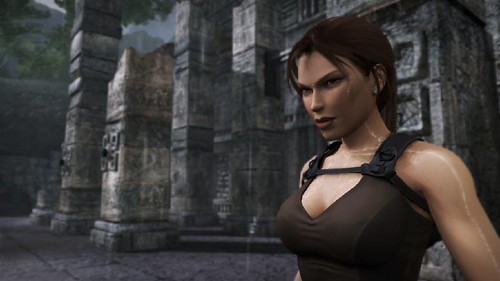
Not media center related but hey this is my blog! I'm getting excited about two new games that are being released, Tomb Raider Under World which is released on the 21st of November 2008 and Resident Evil 5 which I think is due for a release on March 12th 2009, which is quite handy as that's a few days before my birthday.

I've played and completed every single game in both these series, since the Playstation One.
Excellent games if you like these types of genres.

I'm still actually playing GTA4 think I'm about 74% in to it now, I've completed a few games in between playing it, so that's why I've still not finished it, again the GTA series is amazing and I have completed every GTA game Rock Star have made.

I wouldn't say I was a massive gamer however but these games are the ones I really like, and the Call of Duty series rocks as well!

Resident Evil Zombie


Tomb Raider in Thailand !


What other games similar to these would you recommend?

Media Center in Windows 7

A user on the Green Button found this Russian website which has a comprehensive selection of Media Center screen shots in Windows 7. Some very interesting new features and settings. With the screen shot below it looks like Microsoft have resolved the issue of the media library being merged in Vista by now having respective media libraries. So hopefully that will mean no more music album covers appearing in your pictures library!


Other new feature is the ability to rate your music and photos in Media Center and to then create playlists and sideshows based on those rating. Take a look at the many screen shots to get an idea for yourself what's new!